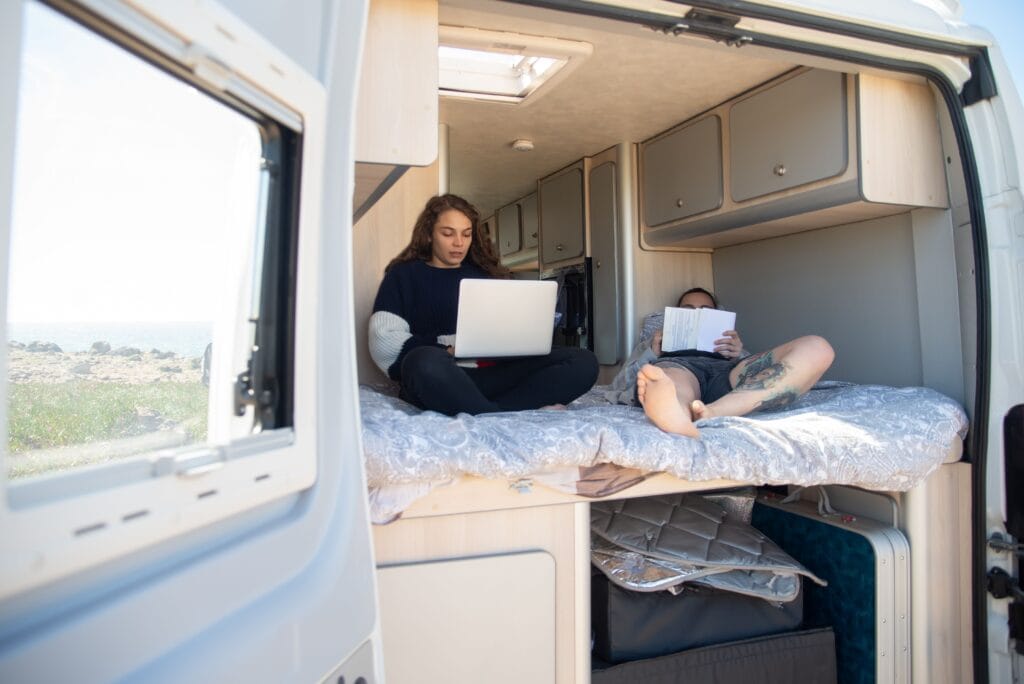
Working from your RV is doable, but it takes more planning than working from a coffee shop or a home office. Internet and power aren’t guaranteed the way they are at a fixed address, and the parts of your day that used to run on autopilot, like finding a strong signal or knowing where the nearest outlet is, become things you actually have to think about. This guide covers what a realistic setup looks like, and what backup plan to have when the primary one doesn’t hold up.
The Realities of Working from an RV
Remote work from an RV can absolutely work, but it comes with tradeoffs that don’t show up in the more polished version of the lifestyle. Connectivity depends on where you are, not just what equipment you have. A great setup at one park can turn into a frustrating one a few hours down the road, and the same is true for power, workspace, and even how well you can concentrate with a campground full of activity outside.
The travelers who make it work long-term tend to be the ones who plan for variability instead of expecting consistency. That means having more than one way to get online, more than one way to keep the laptop charged, and a realistic sense of which stops are actually suited to a full workday versus which ones are better treated as travel days.
Internet: Park Wi-Fi, Hotspots, and Backups
Park Wi-Fi varies widely from one campground to the next, and even within the same park depending on your site and how many other guests are online at once. Some parks offer solid connections. Others are fine for checking email but struggle the moment several people try to stream or join a video call at the same time. It’s worth treating park Wi-Fi as a bonus rather than something to build your whole workday around.
A cellular hotspot or a phone’s mobile hotspot feature is what most working RVers rely on as their primary connection, with park Wi-Fi as a backup or vice versa, depending on the day. Coverage varies significantly by region and provider, so it’s worth checking coverage maps for wherever you’re headed rather than assuming your usual signal will hold up. Whatever combination you land on, the real key is having two independent options rather than one, so a weak signal on one network doesn’t take your whole workday down with it.
Power: Surge Protection and Backup Options
Running a laptop, monitor, and charger off RV power is usually not a heavy draw, but it still needs to be planned for. A surge protector between your RV and the campground’s power pedestal is a basic safeguard worth having regardless of how often you work, since power quality at campgrounds can vary and a surge can take out sensitive electronics fast.
For the times when shore power isn’t available or cuts out mid-task, a backup plan matters more than any single piece of gear. That might be a portable power station, a generator, or simply knowing your laptop’s battery life well enough to plan around it. The goal isn’t to build a bulletproof system. It’s to avoid a scenario where a power blip during a meeting turns into a lost afternoon of work.
Making a Small Space Work
Most RVs weren’t designed with a dedicated office in mind, so the dinette or a fold-down table usually ends up doing double duty. That’s fine for most remote work, but it helps to treat the space intentionally rather than just opening the laptop wherever there’s room. A stable surface, decent lighting, and a spot where you’re not fighting glare on a video call go a long way.
Noise and privacy are the bigger challenges in a small space, especially with more than one person working or traveling together. Headphones help, as does agreeing on rough call windows if you’re sharing the RV with someone else who also needs quiet. Some people find a folding chair and a spot outside works better on nice days, as long as connectivity holds up there too.
Daily Routine: Balancing Work and Travel
The RVers who sustain remote work over time usually build a routine that separates travel days from work days rather than trying to do both at once. Driving for several hours and then expecting to be sharp for an afternoon of calls rarely works out, and trying to work while also managing setup, hookups, and navigating to a new site tends to leave both the job and the travel day feeling rushed.
A common approach is to treat arrival days as non-work days when possible, and to plan multi-night stays around the days that actually need focus. That’s part of why longer stays tend to suit remote work better than a string of one-night stops. If you’re new to that pace, setting expectations for an extended RV stay before you settle in makes the adjustment easier, since it gives you a stable internet and power setup for more than just a few hours rather than tearing down a workspace right after you set it up.
When Work and Weather Collide
Weather doesn’t just affect driving; it affects work too. Storms can knock out power, heavy rain can interfere with satellite or cellular signal, and extreme heat or cold can make an RV an uncomfortable place to sit at a laptop for hours. It’s worth checking the forecast for wherever you’re staying with the same attention you’d give a driving day.
Having a backup plan for weather-related disruptions is part of the same mindset as having a backup for internet and power. That might mean knowing where the nearest library or coffee shop with reliable Wi-Fi is, or simply building in the flexibility to shift a non-urgent task to a different day if the setup isn’t cooperating. Not every park is equally well suited to working through a rough stretch of weather, which is worth factoring in when you’re choosing where to stay.
Book Your Stay Today!
Looking for a stop that works with your remote schedule? Town & Country RV Park is set up with longer stays in mind, so you can settle in, get connected, and keep work and travel running in sync.
FAQ
Is RV park Wi-Fi reliable enough for Zoom?
It depends on the park, the number of guests online, and your site’s distance from the router. Some parks handle video calls fine; others don’t. Treating park Wi-Fi as a backup rather than your only option is the safer approach.
Do I need a cell signal booster?
Not necessarily, but it can help in areas with weak or borderline signal. It’s not a substitute for checking coverage maps ahead of time, since a booster can only strengthen a signal that’s already there, not create one where there isn’t any.
What if the power goes out during a meeting?
Having a backup, whether that’s a portable power station, a generator, or simply knowing your laptop’s remaining battery life, keeps a power blip from turning into a lost meeting. It’s worth testing your backup option before you actually need it.
Can I work in any RV park?
Not equally well. Some parks are set up with reliable connectivity and quieter sites in mind, while others are better suited to overnight stays or leisure travel. Reading RV park reviews with a critical eye is a good way to gauge a park’s suitability for remote work before you count on it for a full workday.